How to Set Up a Walking Pad Safely for Home and Desk Use
A walking pad can make indoor movement easier when space is limited, but placement matters just as much as speed or motor power. A poor setup can create trip hazards, restrict ventilation, damage flooring or make desk walking uncomfortable.
The safest approach is to treat the walking pad as a piece of exercise equipment rather than simply sliding it into the nearest open space.
This guide explains how to choose the right location, measure clearance, position the machine under a standing desk, manage cables, select footwear and build a more practical walking routine at home.
What Is a Walking Pad?
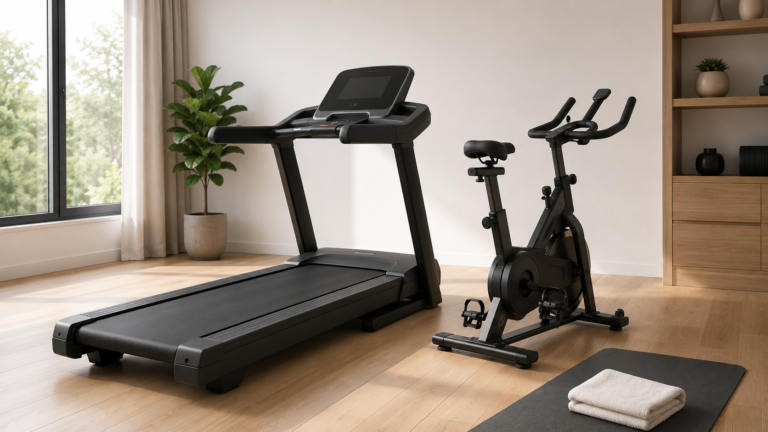
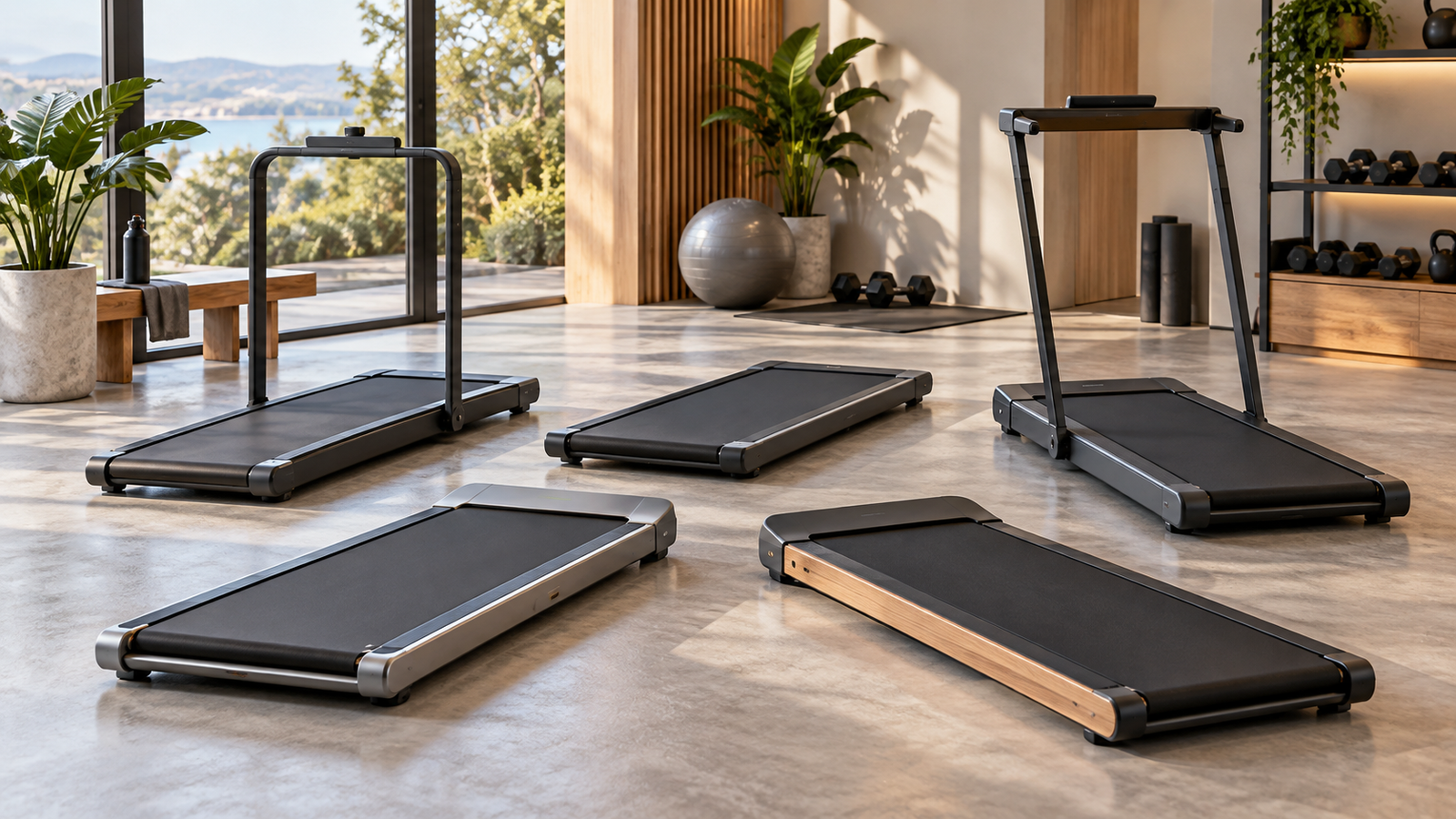
A walking pad is a compact treadmill designed mainly for indoor walking.
Compared with a conventional treadmill, it often has:
- A smaller walking deck
- A lower maximum speed
- A reduced-height frame
- Minimal or foldable handrails
- A smaller console or remote control
- A design intended for storage under furniture or upright against a wall
Some walking pads are specifically marketed for use under a standing desk, while others are better understood as compact home treadmills.
Walking Pad Setup: Quick Checklist
| Setup Area | What to Check |
|---|---|
| Floor | Level, stable and free from clutter |
| Rear clearance | Enough open space to step off safely |
| Side clearance | No furniture or objects close to the moving belt |
| Desk height | Comfortable typing position while standing upright |
| Power cable | Securely routed away from feet and moving parts |
| Ventilation | Motor vents remain unobstructed |
| Footwear | Stable, supportive shoes with a clean sole |
| Controls | Remote or stop control remains easy to reach |
Choose a Level, Stable Floor
The walking pad should sit on a flat and stable surface.
An uneven floor can affect belt tracking, create vibration and make walking feel unstable.
Before placing the machine, check for:
- Loose tiles
- Uneven floorboards
- Thick carpet edges
- Rugs that can bunch up
- Power cords crossing the area
- Nearby furniture legs
If the machine rocks when you stand on it, address the floor or placement before using it.
How Much Space Do You Need Behind a Walking Pad?
Leave clear space behind the machine so you can step off safely if you lose balance or need to stop suddenly.
The exact clearance requirement depends on the manufacturer, so follow the model’s instructions first.
As a practical rule, avoid placing the rear of the walking pad directly against:
- A wall
- A sofa
- A cabinet
- A bed frame
- Any object that would prevent a safe step backward
Leave Space on Both Sides
The sides should also remain reasonably clear.
You do not want your foot, clothing or the edge of the moving belt to contact nearby furniture.
Side clearance also makes it easier to step off the machine without twisting awkwardly.
Do Not Block Motor Ventilation
Walking pads generate heat during operation.
Air vents should remain unobstructed so the motor and electronics can dissipate heat.
Avoid pushing the front or sides of the machine tightly against furniture if that blocks ventilation openings.
If the machine becomes unusually hot or gives off a burning smell, stop using it and follow the manufacturer’s troubleshooting guidance.
Can You Put a Walking Pad on Carpet?
It depends on the walking pad and the carpet.
A very thick or soft carpet can make the machine unstable and may restrict airflow underneath.
Carpet fibres may also increase dust around the motor area.
If the manufacturer allows carpet use, a suitable treadmill or equipment mat may provide a firmer surface and protect the flooring.
Can You Put a Walking Pad on Tile?
Yes, provided the tile surface is level and the walking pad does not slide.
A non-slip equipment mat can help reduce movement and may also reduce noise and vibration.
Avoid operating the machine on wet or polished flooring where the base may shift.
Can You Use a Walking Pad on Wooden Floors?
Yes, but a protective mat can be useful.
A mat may help:
- Reduce vibration
- Protect the floor from marks
- Catch dust or lubricant residue
- Reduce minor movement of the machine
Choose a mat large enough to support the full footprint.
How to Set Up a Walking Pad Under a Standing Desk
Desk use requires a little more planning than normal walking.
The machine should sit directly beneath the working position without forcing you to reach forward or twist.
1. Position the walking pad first
Place the machine where your natural walking position will be.
2. Move the desk over it
The desk should allow enough clearance for the front of the walking pad and your stride.
3. Adjust desk height
Your shoulders should remain relaxed while typing.
If the desk is too low, you may hunch forward.
If it is too high, you may raise your shoulders and create unnecessary tension.
4. Center the monitor
The screen should remain directly in front of you rather than forcing your neck to rotate.
5. Test at very low speed
Start slowly and make small adjustments to desk position before increasing speed.
What Is the Best Desk Height for Walking?
There is no universal height because body proportions differ.
The useful goal is a neutral working posture.
Ideally:
- Elbows remain comfortably bent
- Shoulders stay relaxed
- Wrists remain relatively neutral
- The screen is high enough to avoid prolonged downward neck bending
A height-adjustable desk is usually easier to configure than a fixed desk.
How Fast Should You Walk While Working?
Desk walking should usually be slower than a normal workout walk because part of your attention is on work.
Start at the lowest practical speed.
Increase gradually only if you can:
- Type comfortably
- Maintain balance
- Keep your posture controlled
- Stay within the machine’s intended use
If you need to walk quickly enough that typing becomes difficult, it may be better to separate work and exercise sessions.
Do Not Start at Maximum Speed
Even if the walking pad supports a higher speed, start slowly every time.
This gives you time to confirm:
- The belt is moving correctly
- Your footing is stable
- The desk area is clear
- The remote or stop control is accessible
Increase speed gradually after settling into your stride.
Keep the Stop Control Accessible
You should always know how to stop the machine immediately.
Depending on the model, this may involve:
- A handheld remote
- A console button
- A safety key
- A rail-mounted control
Do not place the remote somewhere you cannot reach while walking.
How to Manage the Power Cable Safely
Cable placement is one of the easiest setup problems to overlook.
The cable should not cross:
- Your walking path
- The belt
- The space where you step on or off
- A desk-chair path
Route it along a wall or desk leg where practical.
Avoid pulling the cord tightly across the floor.
Should You Use an Extension Cord?
Follow the manufacturer’s electrical guidance.
Some fitness equipment should be connected directly to a suitable wall outlet rather than a lightweight extension lead.
If an extension is permitted, it must be appropriately rated for the machine’s electrical requirements.
Do not use damaged plugs, loose sockets or overloaded power strips.
Keep Water Away From the Machine
A water bottle can be useful during walking, but do not place open drinks directly above electrical controls or vents.
Use a secure bottle and stable desk placement to reduce the chance of spills.
What Shoes Should You Wear on a Walking Pad?
Supportive athletic shoes are generally the safest option.
Choose footwear with:
- A secure fit
- Good traction
- A stable sole
- No loose straps
Keep the soles reasonably clean so dirt and small stones are not transferred onto the belt.
Can You Use a Walking Pad Barefoot?
Some people prefer barefoot walking, but it may increase friction, discomfort or risk if the foot slips or contacts the edge of the belt.
Follow the manufacturer’s instructions.
Supportive footwear is generally the more conservative option.
Do Not Wear Loose Clothing Near the Belt
Avoid clothing or accessories that could reach moving parts.
This includes:
- Very loose trousers
- Long drawstrings
- Scarves
- Long hanging straps
Tie long hair back if it could come close to moving or mechanical components during adjustments.
How to Step Onto a Walking Pad
For many models, the safest process is:
- Stand securely on the machine or side rails according to its design.
- Start at the lowest speed.
- Begin walking normally.
- Increase speed gradually.
Follow the instructions for the exact model, especially if it has no traditional side rails.
How to Step Off Safely
Reduce the speed before stepping away.
Where possible, bring the belt to a complete stop.
Avoid jumping sideways from a moving walking pad unless an emergency requires it.
Look Forward, Not Down Constantly
It is natural to glance at the belt while getting comfortable, but continuously looking at your feet can encourage poor posture.
Once your stride is stable, keep your head more neutral and look forward.
Can You Work on a Laptop While Walking?
Yes, at a slow enough speed.
However, tasks requiring precise mouse movement or sustained concentration may be harder while walking.
Walking works particularly well for:
- Reading
- Video calls where movement is acceptable
- Reviewing documents
- Listening to presentations
- Basic typing
Tasks requiring very high precision may be better done while standing still or seated.
Should You Hold the Desk While Walking?
A desk should not be treated as a safety handrail unless it is specifically designed and secured for that purpose.
Leaning heavily on the desk can change posture and stride.
If you feel that you constantly need support to remain balanced, reduce speed or use a walking pad with an appropriate rail.
How Long Should a Beginner Use a Walking Pad?
Start with short sessions rather than immediately walking for several hours.
For example, you might begin with brief periods and gradually increase total time as your feet, legs and posture adapt.
The appropriate duration depends on:
- Current activity level
- Footwear
- Walking speed
- Comfort
- Any existing musculoskeletal issues
Break Up Long Walking Sessions
More time is not automatically better.
Repeated shorter sessions can be easier to tolerate than one continuous period.
Alternating between sitting, standing and walking may also reduce the monotony of staying in one position for several hours.
Walking Pad vs Sitting All Day
A walking pad can provide another way to add movement to a sedentary routine.
It should not be viewed as a reason to remain at a desk continuously.
Regular movement away from the workstation remains useful.
Walking Pad vs Outdoor Walking
A walking pad offers predictable indoor conditions and convenience.
Outdoor walking provides different benefits, including:
- Changing terrain
- Natural light
- Fresh-air exposure where air quality is suitable
- Greater variety in movement
The two approaches can complement each other rather than compete.
Do Walking Pads Have Incline?
Some do.
Compact models may offer:
- No incline
- Fixed incline
- Manual incline
- Multiple manually adjusted levels
True automatic incline is less common in very compact walking pads.
Check the exact product specification rather than assuming every treadmill-style machine has the feature.
Does Incline Change Desk Walking?
Yes.
Incline increases effort and can change body position.
A steeper incline may be less practical for typing or prolonged desk work.
If the walking pad offers incline, consider using it during dedicated exercise sessions rather than automatically while working.
Walking Pad Weight Limit
Every walking pad has a manufacturer-stated user-weight limit.
Do not assume the rating based on machine size or motor power.
Using equipment beyond its rated capacity can affect stability, belt performance and durability.
Does Walking Pad Deck Size Matter?
Yes.
A shorter or narrower deck may be sufficient for slow walking but can feel restrictive to users with longer strides.
Check:
- Belt length
- Belt width
- Your natural stride
- Maximum intended speed
A larger deck generally provides more margin for foot placement but also requires more floor space.
Keep Children and Pets Away While It Is Running
A moving belt can injure fingers, paws or feet.
Do not allow children or pets to approach the rear or sides of the machine while it is operating.
Unplug or secure the machine when not in use according to the manufacturer’s guidance.
Can You Store a Walking Pad Upright?
Only if the manufacturer explicitly allows upright storage.
Some compact machines are designed for it, while others should remain flat.
If vertical storage is supported:
- Make sure the unit is stable.
- Keep it away from children and pets.
- Do not lean it where it could fall.
- Protect walls and flooring from hard edges.
Should You Unplug a Walking Pad After Use?
Follow the manufacturer’s instructions.
For many home exercise machines, switching off and disconnecting power when the equipment will not be used for a while can be sensible.
Never pull the plug out by yanking the cable.
Walking Pad Belt Alignment
The belt should generally remain centred during use.
If it gradually moves toward one side, consult the manual before making adjustments.
Belt alignment usually involves small changes to rear adjustment bolts.
Do not randomly tighten components because incorrect adjustment can make the problem worse.
Does a Walking Pad Need Lubrication?
Many treadmill belts require periodic lubrication, but the schedule and lubricant type vary by model.
Use only the lubricant recommended by the manufacturer.
Too little lubrication can increase friction, while excessive lubricant can create mess and potentially affect belt behaviour.
How to Keep the Walking Pad Clean
After use:
- Switch the machine off.
- Wipe sweat from exposed surfaces.
- Keep dust away from vents.
- Remove dirt around the belt edges.
- Do not pour cleaning liquid directly onto electronics.
Follow the maintenance instructions provided with the machine.
Common Walking Pad Setup Mistakes
Placing it directly against a wall
This removes useful rear clearance.
Running the power cable across the walking path
This creates an unnecessary trip hazard.
Putting it on a very soft surface
An unstable base can affect balance and ventilation.
Walking too fast while typing
Work speed and exercise speed do not need to be the same.
Using a desk that is too low
This encourages forward bending and poor posture.
Ignoring the manufacturer’s weight limit
The machine should always be used within its rated capacity.
Leaving the remote out of reach
You need to be able to stop quickly when necessary.
A Simple Home Walking Pad Setup
A practical arrangement might look like this:
- Choose a flat floor area.
- Add a suitable equipment mat if needed.
- Leave open clearance around the machine.
- Position the standing desk over the front section.
- Adjust the desk for neutral arm posture.
- Center the monitor.
- Route the power cable away from the belt and feet.
- Keep the remote within easy reach.
- Wear secure footwear.
- Begin at low speed.
How to Choose a Walking Pad for Desk Use
When comparing models, consider:
- Overall height
- Whether it fits under your desk
- Walking deck dimensions
- Maximum speed
- Rated user weight
- Remote or console design
- Noise level
- Storage method
- Rail design
- Incline if relevant
For specific options, see our Top 5 Walking Pads in India.
Frequently Asked Questions
Can I use a walking pad all day?
Long continuous use may not be appropriate for either the user or the machine. Break sessions up, follow the equipment’s duty-cycle guidance and vary your working position.
What speed is best for working at a desk?
Use a speed slow enough that you can maintain balance, posture and concentration. There is no universal ideal speed.
Do I need a mat under a walking pad?
Not always, but a suitable mat can protect flooring, reduce minor vibration and create a more stable surface depending on the floor type.
Can I use a walking pad in an apartment?
Yes, if space, flooring and noise are appropriate. A mat may reduce vibration, but consider neighbours below and follow building rules.
Can I put a chair on top of a walking pad?
Do not place a chair directly on the belt unless the manufacturer specifically supports that setup. Move the walking pad away or use a workstation designed to switch safely between sitting and walking.
Can I run on a walking pad?
Only if the specific model is designed and rated for running. Many walking pads are intended for lower-speed walking only.
Final Takeaway
A good walking-pad setup starts with space, stability and control rather than speed.
Use a level surface, maintain open clearance, keep cables away from your feet and make sure the machine’s stop control is always accessible.
For desk use, adjust the workstation around a natural walking position rather than forcing your body to adapt to a poorly placed desk.
Start slowly, wear secure footwear and build walking time gradually.
A walking pad can be a useful way to add movement to a home or office routine, but it works best when the setup is comfortable enough to use consistently and safe enough that you do not need to think about avoiding obstacles while you walk.
Physical Glow publishes educational beauty, fitness and wellness content. This article is for general informational purposes. Follow the safety and setup instructions supplied with your specific walking pad, and seek appropriate professional advice before changing exercise habits if you have relevant health or mobility concerns.