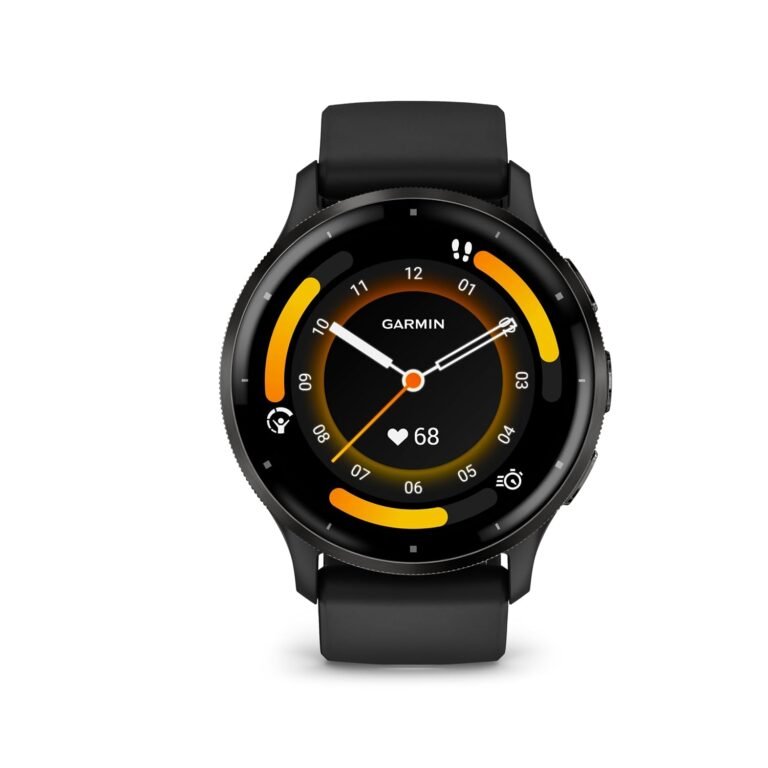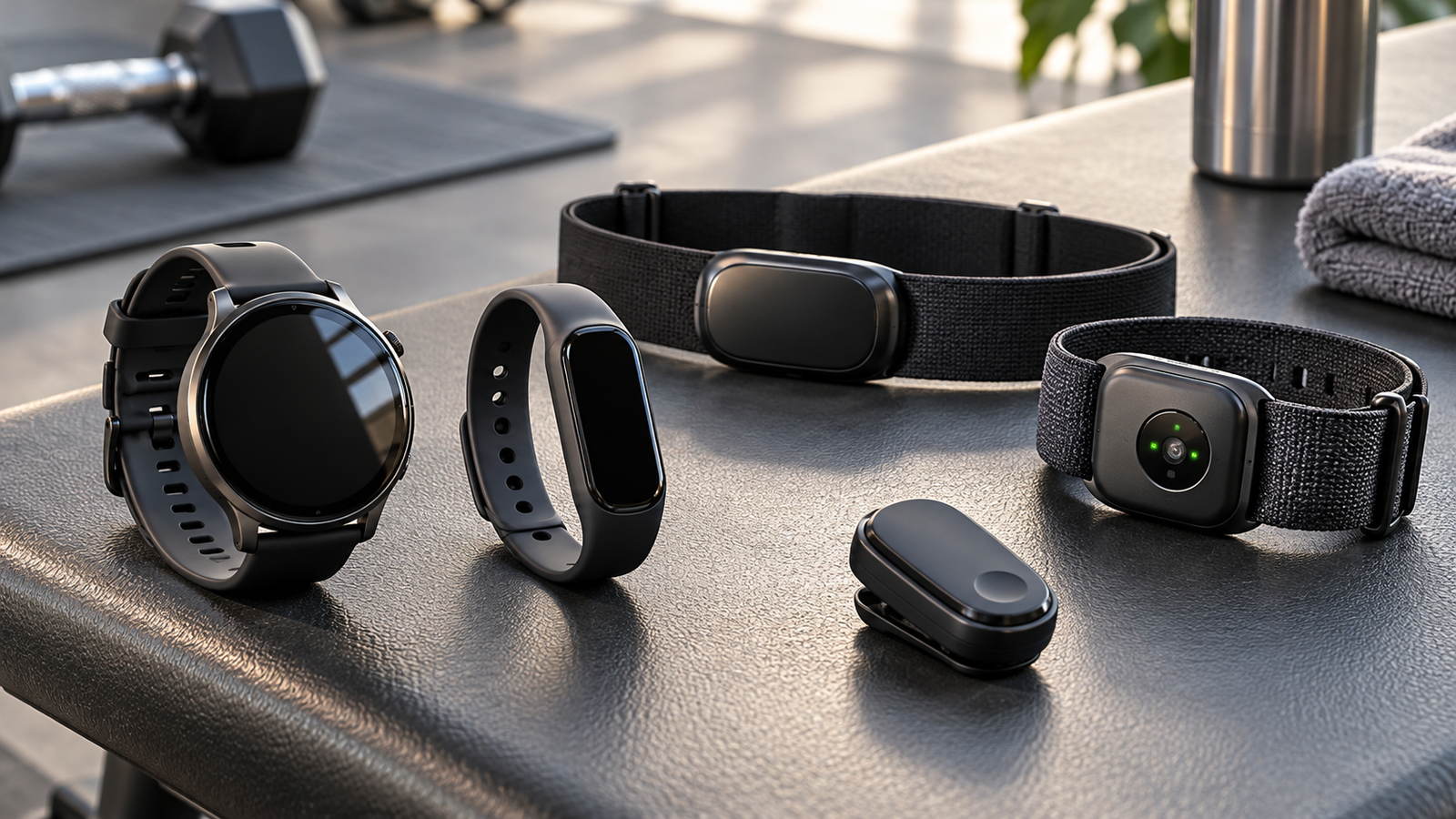
Fitness Tracker Battery Drain: GPS, Display and Workout Settings
A fitness tracker may promise several days of battery life, but the real-world experience can be very different.
You might charge your smartwatch to 100% before bed, record your morning run, check notifications throughout the day and discover that the battery is almost empty by evening.
For someone using a fitness tracker to monitor workouts, sleep, heart rate or daily activity, unexpected battery drain can be frustrating.
However, faster battery consumption does not necessarily mean the device is defective.
Battery life depends on how frequently the watch measures data, which sensors are operating, how the display is configured and how the device communicates with your phone or satellite navigation systems.
The most effective way to improve fitness tracker battery life is to identify which features consume the most power and adjust the ones you do not need continuously.
This does not mean disabling every useful feature. A fitness tracker with all its tracking functions switched off may last longer, but it may no longer serve its intended purpose.
The goal is to balance battery endurance with useful health, activity and workout data.
This Physical Glow guide explains why GPS drains smartwatch batteries, how display settings influence power consumption, which workout features matter and how to identify abnormal battery drain without compromising essential tracking functions.
1. Why Does Fitness Tracker Battery Life Vary So Much?
Fitness trackers contain several electronic systems that consume power.
These may include:
- A display.
- An optical heart-rate sensor.
- Motion sensors.
- A GPS or multi-GNSS receiver.
- A Bluetooth radio.
- Wireless networking on supported devices.
- A processor.
- Internal storage.
- Haptic feedback components.
- Cellular connectivity on certain models.
Each component has a different power requirement.
Some operate intermittently, while others may remain active for extended periods.
For example, a step counter can often use relatively low-power motion sensing, while recording an outdoor route may require the satellite-navigation receiver to operate throughout a workout.
Battery-Life Estimates Are Conditional
Manufacturers commonly advertise battery life under specific testing conditions.
One watch may claim up to ten days of typical use but substantially less time during continuous GPS tracking.
Another might provide longer endurance in a basic watch mode but shorter battery life with the always-on display enabled.
These estimates should not be treated as guarantees.
Actual battery life varies according to settings, usage, environmental conditions and battery condition.
2. Which Fitness Tracker Features Use the Most Battery?
Power consumption depends on the device, but several features commonly influence battery drain.
| Feature | Why it consumes power | Potential impact |
|---|---|---|
| Continuous GPS tracking | Satellite signals must be processed during activity | Often significant |
| Always-on display | Screen remains active or frequently refreshes | Can be substantial |
| High screen brightness | Display requires additional power | Varies by technology |
| Continuous health sensing | Optical sensors and processing operate frequently | Model-dependent |
| Cellular connectivity | Radio communicates with mobile networks | Potentially significant |
| Frequent notifications | Display, vibration and processing activate repeatedly | Usually cumulative |
| Music playback | Bluetooth audio and processing remain active | Can be significant |
| Wi-Fi syncing | Wireless data transfer consumes energy | Depends on duration |
| Workout tracking | Multiple sensors may run simultaneously | Depends on workout mode |
| Background software activity | Applications or updates use processing resources | Variable |
The impact of each feature differs among fitness trackers.
A device designed primarily for endurance sports may manage satellite tracking differently from a general-purpose smartwatch.
Likewise, some manufacturers optimize background sensor measurements more aggressively than others.
The best way to understand your watch is to compare battery use during different types of activity.
3. Why GPS Tracking Drains the Battery
GPS is one of the most important features for outdoor running, cycling and walking.
It allows compatible devices to estimate location, route and distance without relying entirely on step-based calculations.
GPS is part of a broader category called Global Navigation Satellite Systems, or GNSS.
Other satellite systems include Galileo, GLONASS and BeiDou.
Some wearables can receive signals from multiple satellite constellations.
What Happens During GPS Tracking?
The device receives and processes signals from satellites to estimate its position.
During a recorded workout, it may repeat these calculations frequently.
The device may also record heart rate, pace, elevation and other workout information.
This combination can increase battery consumption compared with ordinary timekeeping.
Does GPS Consume Power Even When You Are Not Moving?
Yes, if the watch continues actively recording a GPS workout.
The GPS receiver does not necessarily switch off simply because you stop at a traffic signal.
Some devices have intelligent pause or power-saving features, but their behaviour varies.
Should You Switch Off GPS Entirely?
Not if accurate outdoor route recording is important to you.
Instead, choose the tracking mode appropriate for your activity.
For example, a casual walk may not require the most power-intensive satellite configuration available.
4. GPS-Only vs Multi-GNSS vs Dual-Frequency Tracking
Many modern sports watches provide more than one satellite-navigation mode.
These modes can differ in accuracy, responsiveness and power consumption.
Standard GNSS mode
Uses a selected satellite system or configuration. May offer a useful balance between location tracking and battery endurance.
Multi-GNSS mode
Uses signals from multiple satellite constellations. May improve positioning in some environments but can consume more power.
Dual-frequency or multi-band GNSS
Uses multiple signal frequencies on compatible hardware. Can improve positioning in challenging environments but may increase power consumption.
Which Mode Should You Choose?
For open areas with relatively clear satellite visibility, a standard GNSS mode may be adequate.
For routes surrounded by tall buildings, dense trees or challenging terrain, more advanced satellite configurations may improve tracking quality.
However, the actual benefit depends on the watch’s receiver and processing system.
Important Limitation
More satellite systems do not guarantee perfect accuracy.
Buildings, signal reflections and other environmental factors can still introduce positioning errors.
Use the mode that produces sufficiently useful data for your activities without consuming more battery than necessary.
5. Does GPS Accuracy Improve With More Frequent Recording?
Some fitness trackers provide options to record location at different intervals.
A device that records position frequently may capture more route detail than one that records less often.
However, recording frequency and positioning accuracy are not the same thing.
Frequent Recording
Potential benefits include:
- More detailed route traces.
- Better representation of turns.
- More precise timing of some movement changes.
Potential limitations include increased power consumption on certain devices.
Reduced Recording Frequency
This may improve battery endurance in supported modes.
However, it can reduce the detail of recorded routes or affect certain metrics.
What Is the Best Setting?
For short performance-focused runs, you may prefer the device’s normal or high-accuracy tracking mode.
For a long hike where battery endurance is more important, a manufacturer’s dedicated expedition or battery-saving mode may be useful.
Do not assume that reducing data-recording frequency always produces a large battery saving.
Some watches separate recording frequency from the power used by the GNSS receiver.
6. Always-On Display: How Much Battery Does It Use?
An always-on display allows the watch face to remain visible without raising your wrist or pressing a button.
This can be convenient during workouts or everyday use.
However, keeping the display active can increase battery consumption.
OLED and AMOLED Displays
These displays illuminate individual pixels.
Brightness, displayed content and refresh behaviour can influence energy use.
A brightly coloured watch face may consume more power than a simpler dark one under certain conditions.
LCD and Memory-in-Pixel Displays
Other display technologies behave differently.
Some are designed for efficient visibility during outdoor activity.
Therefore, a general statement that every always-on display consumes the same amount of power would be inaccurate.
How to Reduce Display-Related Drain
Consider:
- Disabling always-on mode when unnecessary.
- Reducing brightness to a comfortable level.
- Shortening screen timeout.
- Choosing a simpler watch face.
- Reducing unnecessary wrist-gesture activations.
Do not reduce brightness to the point where important workout information becomes difficult to read safely.
7. Screen Brightness and Automatic Wake Settings
Display power consumption is influenced not only by brightness but also by how often the screen turns on.
A fitness tracker may activate its display when you:
- Raise your wrist.
- Receive a notification.
- Touch the screen.
- Press a button.
- Begin a workout.
- Trigger an alert.
Raise-to-Wake
This feature can be convenient but may activate repeatedly during everyday arm movements.
If your watch lights up frequently while typing, driving or moving your hands, it may contribute to unnecessary display activity.
Screen Timeout
A long timeout keeps the display active after each interaction.
Reducing it may help conserve power.
Automatic Brightness
Some devices adjust brightness according to ambient light.
This can be useful, but its impact on battery life depends on the device and environment.
Practical Approach
Start by changing one display setting rather than disabling everything.
Observe whether battery endurance improves without reducing usability too much.
8. Do Heart-Rate Sensors Drain the Battery?
Most modern fitness trackers use optical sensors to estimate heart rate.
These sensors typically illuminate the skin and measure changes in reflected light associated with blood flow.
The technology is commonly called photoplethysmography, or PPG.
Continuous vs Periodic Monitoring
Some devices measure heart rate frequently throughout the day.
Others adjust measurement intervals depending on movement, workout mode or battery settings.
More frequent measurement can increase power consumption, although the effect varies by hardware and firmware.
During Workouts
A watch may use more frequent heart-rate sampling to produce detailed workout data.
This can contribute to the power demands of exercise tracking.
Should You Disable Continuous Heart-Rate Monitoring?
Only if the loss of that information is acceptable for your needs.
Continuous or frequent readings may help with exercise summaries, training trends and certain alerts.
If you use monitoring features because of medical advice, do not disable them solely to save battery without considering that guidance.
Wrist Watch vs Chest Strap
Some sports watches can connect to an external chest-strap heart-rate monitor.
This may affect the watch’s sensor usage, but total battery impact depends on both devices and their communication settings.
It is not guaranteed to improve overall endurance.
9. Blood Oxygen Monitoring and Battery Life
Some fitness trackers estimate blood oxygen saturation, commonly called SpO₂.
These sensors may use additional light wavelengths and processing.
Frequent measurement can affect battery life on certain models.
Spot Checks vs Continuous Monitoring
A spot-check feature operates when you manually request a reading.
Continuous or overnight monitoring may generate measurements more frequently.
The power difference depends on the manufacturer’s implementation.
Should You Switch It Off?
Consider whether you actually use the information.
However, remember that consumer smartwatch SpO₂ features are not universally equivalent to medical-grade monitoring.
People managing diagnosed medical conditions should follow professional guidance rather than relying on a watch alone.
Accuracy Limitations
Motion, sensor contact, skin characteristics and other factors can influence optical measurement performance.
Battery optimization should not be confused with improving measurement accuracy.
10. Sleep Tracking: Why Does Your Watch Lose Battery Overnight?
Sleep tracking can involve several sensors and processing functions.
Depending on the model, these may include:
- Heart-rate measurement.
- Motion detection.
- Skin-temperature sensing.
- Blood oxygen estimation.
- Respiratory-rate estimates.
- Sleep-stage algorithms.
Some watches also maintain Bluetooth connections or background synchronization overnight.
Is Overnight Battery Drain Normal?
Some drain is expected.
The amount varies considerably between devices.
A watch that uses intensive overnight measurements may consume more energy than one operating in a simplified sleep mode.
Practical Adjustments
Review whether you need all overnight monitoring features.
Use a sleep-specific display mode where available.
Disable unnecessary notifications.
Consider whether continuous overnight SpO₂ monitoring is useful for your circumstances.
Avoid Sacrificing Important Information
If you use sleep tracking to understand a health concern, consider which measurements matter before switching them off.
Also remember that consumer sleep-stage estimates have limitations and should not be treated as definitive medical assessments.
11. Workout Modes: Why Some Drain More Battery Than Others
Fitness trackers offer different workout profiles.
Examples include running, walking, cycling, swimming, strength training and yoga.
These modes may activate different combinations of sensors.
| Workout mode | Common data collected | Battery consideration |
|---|---|---|
| Outdoor running | GPS, heart rate, pace and distance | Satellite tracking often important |
| Outdoor cycling | GPS, speed and heart rate | Continuous outdoor tracking |
| Indoor cycling | Heart rate, time and optional connected sensors | Usually no need for onboard GPS |
| Strength training | Heart rate, movement and workout duration | No satellite route tracking generally required |
| Yoga | Heart rate and duration | Often relatively low sensor demand |
| Pool swimming | Movement, heart rate and lap estimates | Device-dependent sensor use |
| Hiking | GPS, elevation and route information | Long sessions may require power planning |
These are general tendencies.
A device may use GPS during certain modes automatically or allow manual selection.
Choose the Correct Workout Profile
If you are using a stationary exercise bike, there is usually no reason to record a satellite route.
Selecting an indoor cycling profile may avoid unnecessary GPS use.
Likewise, indoor treadmill running does not inherently require satellite tracking.
Check whether your device distinguishes indoor and outdoor workouts.
12. Connected GPS vs Built-In GPS
Some entry-level fitness bands use a phone’s GPS rather than containing a dedicated satellite-navigation receiver.
This is commonly called connected GPS.
Built-In GPS
The wearable obtains location information using its own receiver.
Advantages may include recording outdoor routes without carrying a phone.
The trade-off can include increased wearable battery consumption.
Connected GPS
The wearable uses location data supplied by a paired smartphone.
This can reduce the need for a GPS receiver inside the tracker.
However, the phone’s battery is also affected.
Which Is Better?
If you always carry your phone during workouts, connected GPS may be acceptable.
If you want to run without your phone, built-in GPS is more convenient.
Neither option is automatically superior for every user.
The important factor is how you actually use the device.
13. Bluetooth, Wi-Fi and Cellular Battery Drain
Wireless connectivity can influence smartwatch battery life.
Bluetooth
Bluetooth is commonly used to connect the watch to a smartphone, headphones or external sensors.
Modern low-energy Bluetooth implementations can be efficient, but repeated reconnections and data transfers still consume power.
Wi-Fi
Some smartwatches use Wi-Fi for software updates, synchronization or internet-connected features.
Background activity may affect battery life.
Cellular Connectivity
LTE-enabled smartwatches can perform selected communication functions without a nearby smartphone.
However, cellular connectivity may consume substantial power, especially when network reception is poor.
Weak Signal Conditions
A cellular device may use additional energy while maintaining or searching for connectivity in weak-signal environments.
This is relevant for people who use connected watches during outdoor workouts or travel.
What Should You Do?
Disable unused radios where appropriate and supported.
If you do not need standalone cellular connectivity during a workout, consider using a mode that avoids unnecessary network activity.
However, emergency calling and other important communication features may be affected by disabling connectivity.
14. Notifications, Vibration and Watch Faces
Frequent notifications can increase battery consumption by activating several components.
A single alert may involve:
- Wireless communication.
- Background processing.
- Display activation.
- Vibration.
- Sound.
The energy consumed by one notification may be small, but repeated alerts can add up.
Reduce Unnecessary Notifications
Consider limiting watch notifications to important categories, such as calls, calendar events or essential messages.
You may not need every promotional alert or social media notification on your wrist.
Watch Face Complications
Some watch faces display frequently updated information, such as weather, live activity or other connected data.
Depending on the device, these features may increase background activity.
Third-Party Watch Faces
Some poorly optimized watch faces may contribute to abnormal battery drain.
If drain began after installing a new watch face, test the device with a standard manufacturer-provided face.
15. Music Playback During Workouts
Some smartwatches can store or stream music and connect directly to wireless headphones.
This can be convenient for running without a smartphone.
However, music playback can increase battery consumption.
Offline Music
Stored music generally avoids ongoing internet streaming.
The watch still needs to process audio and communicate with Bluetooth headphones.
Streaming Music
Streaming may additionally require Wi-Fi or cellular connectivity.
GPS Plus Music
Running with GPS active while streaming music can place simultaneous demands on several power-consuming systems.
If battery endurance is important, consider playing music from your phone or using offline playback where supported.
Do not sacrifice essential route or safety functions merely to keep music running longer.
16. Battery Saver Mode: What Does It Actually Disable?
Most fitness trackers offer one or more battery-saving settings.
However, there is no universal battery-saver configuration.
Depending on the model, the mode may change:
- Display behaviour.
- Sensor measurement frequency.
- GPS accuracy.
- Wireless connectivity.
- Background synchronization.
- Gesture controls.
- Workout data collection.
Standard Battery Saver
May reduce background activity while preserving basic watch functions.
Workout Power-Saving Mode
May reduce satellite or sensor activity during exercise.
Expedition or Ultra-Low-Power Mode
Some outdoor watches offer specialized modes intended for extended activities.
These may use less frequent positioning or simplified tracking.
Important Trade-Off
Longer battery life may come at the expense of data detail.
Before using a power-saving mode for a race, hike or important training session, check which functions it changes.
17. Interactive Fitness Tracker Battery Planner
The following tool illustrates how settings can affect potential battery demand.
It does not calculate actual battery life because consumption varies significantly between devices.
Explore battery-demand trade-offsGPS settingNo GPS workoutStandard satellite trackingAdvanced / multi-band satellite trackingDisplay settingScreen wakes when neededAlways-on displayHealth monitoringStandard monitoringAdditional frequent measurementsWorkout musicNo music from the watchOffline music playbackStreaming over wireless connection
Illustrative relative power demand
Moderate
Some features may noticeably affect battery life depending on the watch.
This is a qualitative illustration, not a validated battery model. Scores are arbitrary and must not be interpreted as percentages, hours remaining or measurements of a specific smartwatch.
18. How to Diagnose Unusually Fast Battery Drain
If battery life suddenly becomes much shorter, use a systematic approach before assuming the battery has failed.
Step 1: Identify When the Problem Started
Did the drain begin after:
- A software update?
- Installing a new app?
- Changing a watch face?
- Enabling always-on display?
- Activating additional health tracking?
- Starting longer GPS workouts?
The timing may help identify the cause.
Step 2: Check Battery Usage Information
Some smartwatches provide detailed battery-use information.
Review which applications or functions appear to consume substantial power.
Not all trackers offer this feature.
Step 3: Restart the Device
A normal restart may resolve certain temporary software issues.
Follow the manufacturer’s recommended procedure.
Step 4: Test With Standard Settings
Temporarily return nonessential settings to a known configuration.
Observe whether battery life improves during comparable activities.
Step 5: Review Software Updates
Manufacturers sometimes release firmware updates that address power-management issues.
However, updates can also temporarily increase background activity.
Step 6: Contact Support if Necessary
If the watch continues to drain abnormally, contact the manufacturer or authorized service provider.
Avoid opening or attempting to repair a sealed lithium-ion battery yourself.
19. Battery Drain After a Software Update
Some users notice increased battery consumption shortly after a firmware or operating-system update.
There can be several explanations.
The device may perform background synchronization, database maintenance or other temporary processes.
Alternatively, the update may introduce changed settings or a software issue.
Should You Immediately Factory Reset?
Not necessarily.
First check manufacturer guidance and whether the problem persists after normal operation resumes.
A factory reset may delete locally stored data or require setting up the watch again.
What If the Update Changed Settings?
Review display, health-monitoring, connectivity and workout preferences.
A newly enabled feature may affect battery endurance.
When to Report the Problem
If abnormal drain continues despite basic troubleshooting, document the model, software version, symptoms and approximate battery-loss pattern.
This information may help the manufacturer identify the issue.
20. Does Battery Age Affect Fitness Tracker Runtime?
Yes.
Most rechargeable fitness trackers use lithium-ion or related lithium-based battery technology.
Rechargeable batteries gradually lose capacity with age and use.
Why Capacity Declines
Battery ageing is influenced by:
- Charge cycles.
- Temperature.
- Time.
- Charging conditions.
- Battery chemistry.
- Usage patterns.
What You May Notice
An older tracker may:
- Require charging more frequently.
- Lose charge faster during demanding workouts.
- Shut down unexpectedly.
- Show less consistent battery percentage behaviour.
These signs can also have software-related causes.
Can Battery Capacity Be Restored?
Routine settings changes cannot restore the original chemical capacity of an aged battery.
Some devices support authorized battery replacement; others have limited repairability.
Consult the manufacturer for available options.
21. Charging Habits and Battery Health
Charging practices can influence long-term battery condition.
Avoid Excessive Heat
High temperatures can accelerate battery ageing.
Do not leave a wearable charging in direct sunlight or near significant heat sources.
Use Compatible Charging Equipment
Follow the manufacturer’s charging instructions and use an appropriate charger.
Keep Charging Contacts Clean
Some wearables use exposed charging contacts.
Sweat, moisture and residue can interfere with charging.
Clean them according to the manufacturer’s instructions.
Avoid Charging While Wet
Do not attach a charger to wet charging contacts.
Dry the device as instructed.
Do You Need to Drain the Battery to Zero?
No.
Modern lithium-ion batteries do not require regular complete discharge to maintain capacity.
Is Charging to 100% Always Harmful?
No. Manufacturers design devices with charging controls.
However, some devices provide optimized charging features intended to reduce time spent at high states of charge.
Follow the manufacturer’s guidance rather than relying on universal charging myths.
22. Battery Planning for Long Runs, Cycling and Hiking
Extended workouts create different power-management priorities from everyday office use.
Before a Long Workout
Check the current battery level.
Estimate the activity duration.
Review the watch’s published battery life in the intended tracking mode.
Choose the Appropriate GPS Configuration
If precise route tracking matters, use the required positioning mode.
If endurance is more important, consider a supported lower-power mode after understanding its limitations.
Avoid Unnecessary Features
You may not need:
- Continuous music streaming.
- Maximum brightness.
- Frequent display activation.
- Unimportant notifications.
Preserve Safety Functions
During outdoor activities, navigation, location sharing and communication features may have safety value.
Do not disable them solely to save power without considering the consequences.
Carry Backup Navigation When Appropriate
For remote hiking, do not depend entirely on a single smartwatch for navigation or emergency communication.
23. Choosing a Fitness Tracker Based on Battery Life
When buying a tracker, compare battery life under realistic usage conditions rather than relying only on the largest advertised number.
| Buying consideration | What to examine |
|---|---|
| Typical smartwatch battery life | Manufacturer’s test conditions |
| GPS workout endurance | Runtime with satellite tracking |
| Advanced GPS endurance | Battery life with multi-band or high-accuracy modes |
| Always-on display impact | Runtime when enabled |
| Sleep-tracking requirements | Overnight power consumption |
| Charging speed | Practicality between workouts |
| Music playback | Battery impact during GPS activities |
| Battery-saving modes | Which features are reduced |
| Device size | Trade-offs involving battery and comfort |
| Software support | Updates and long-term maintenance |
Long Battery Life vs Advanced Features
A simpler fitness band may last longer because it has fewer power-consuming features.
A smartwatch with cellular connectivity, advanced navigation and a bright AMOLED screen may require more frequent charging.
Neither category is automatically better.
The correct choice depends on what you want to track.
Buying for Running
Prioritize GPS endurance and adequate tracking quality.
Buying for Everyday Fitness
Typical-use battery life and comfort may matter more.
Buying for Sleep Tracking
Consider whether the device can comfortably last through the night without frequent charging interruptions.
Compare Product Options
Explore Physical Glow’s Fitness guides and wearable technology comparisons section for relevant fitness tracker and heart-rate sensor buying guides.
When comparing specific models, pay particular attention to the manufacturer’s stated GPS and always-on display battery conditions.
24. Common Fitness Tracker Battery Mistakes
Mistake 1: Assuming Advertised Battery Life Applies to Every Setting
Manufacturers test devices under particular usage conditions.
Mistake 2: Using the Most Demanding GPS Mode for Every Activity
Advanced positioning is not always necessary for casual workouts.
Mistake 3: Leaving the Always-On Display Enabled Without Considering Its Impact
Display settings can meaningfully affect endurance.
Mistake 4: Recording Indoor Cycling With GPS
Stationary cycling generally does not require a satellite route.
Mistake 5: Allowing Every Phone Notification on the Watch
Frequent alerts can activate the display and vibration motor unnecessarily.
Mistake 6: Streaming Music During Every GPS Workout
Music and satellite tracking may create substantial combined power demand.
Mistake 7: Disabling Useful Monitoring Without Considering the Trade-Off
Battery savings should not automatically outweigh relevant health or safety needs.
Mistake 8: Ignoring Background Apps and Watch Faces
Software activity can affect runtime.
Mistake 9: Assuming Every Battery Problem Is Hardware Failure
Settings and software changes may contribute.
Mistake 10: Charging the Device in Excessive Heat
Heat can negatively affect battery health.
25. Frequently Asked Questions
Why is my fitness tracker battery draining so fast?
Possible causes include GPS use, always-on display, frequent sensor measurements, cellular connectivity, background applications or battery ageing.
Does GPS use a lot of smartwatch battery?
Continuous satellite tracking can significantly increase power consumption compared with basic watch operation.
Is multi-band GPS worth the extra battery usage?
It may be useful in challenging environments, but the benefit depends on the watch and your activities.
Does always-on display reduce battery life?
It can, although the impact varies with display technology and device optimization.
Can lowering brightness improve battery life?
Yes, reducing unnecessary display power consumption may help.
Does continuous heart-rate monitoring drain the battery?
It consumes power, but the effect depends on the sensor and software implementation.
Does sleep tracking use battery overnight?
Yes. The amount depends on which sensors and monitoring functions operate overnight.
Does blood oxygen monitoring affect battery life?
Frequent SpO₂ measurement can increase power use on some trackers.
Should I disable Bluetooth to save battery?
Not necessarily. Bluetooth may be important for synchronization and connectivity. The benefits of disabling it depend on the device.
Does cellular connectivity drain smartwatch batteries?
It can, particularly during standalone use or poor signal conditions.
Does playing music from the watch use extra battery?
Yes. Audio processing and Bluetooth or network connectivity require power.
Is connected GPS better for battery life?
It may reduce wearable power consumption, but the paired phone then handles location tracking.
Why does my watch drain more battery during running than walking?
Different workout settings, duration, GPS use, sensor sampling and display behaviour may explain the difference.
Does airplane mode improve battery life?
It can reduce wireless activity, but it may also disable communication and safety functions. Behaviour varies by model.
Why did battery drain increase after an update?
Temporary background activity, changed settings or software problems are possible explanations.
Does restarting a smartwatch fix battery drain?
It may resolve temporary software issues, but not every battery problem.
Can I improve the battery capacity of an old tracker?
Settings may extend runtime, but they cannot restore the original chemical capacity of an aged battery.
Is it bad to charge a fitness tracker every day?
Not inherently. Follow the manufacturer’s charging guidance and avoid excessive heat.
Should I fully discharge my tracker before charging?
No. Modern lithium-ion batteries do not require routine full discharge.
How can I make my smartwatch last through a marathon?
Start with adequate charge, choose appropriate GPS and display settings, avoid unnecessary background features and verify expected runtime for the exact device.
Which fitness tracker has the best battery life?
There is no single best model for every user. Compare battery endurance under the specific GPS, display and monitoring settings you expect to use.
26. Final Verdict: Optimize Battery Life Without Losing Useful Tracking
Fitness tracker battery life is shaped by the features you use and how frequently they operate.
For outdoor workouts, GPS configuration is often one of the most important settings to review.
For everyday smartwatch use, display brightness, always-on mode and frequent notifications may be significant contributors.
Overnight monitoring, music playback and cellular connectivity can also affect endurance.
However, improving battery life should not mean automatically disabling every advanced feature.
A runner may value accurate GPS recording more than maximum endurance.
Someone monitoring sleep trends may prefer overnight sensor measurements.
A person using a smartwatch primarily for notifications may prioritize communication over detailed workout tracking.
The best approach is to identify which features matter most, remove unnecessary background activity and use the manufacturer’s supported power-saving options when appropriate.
If battery drain changes suddenly, investigate settings and software before assuming hardware failure.
The goal is not simply to make your fitness tracker last as long as possible. It is to get reliable, useful tracking from the battery capacity available.
Editorial References and Further Reading
- Garmin Support — Model-specific GPS modes, battery settings and troubleshooting.
- Apple Watch Support — Battery management, power-saving features and charging guidance.
- Fitbit Help — Tracker battery life, sensor settings and device support.
- GPS.gov — Global Navigation Satellite Systems — Background information on satellite navigation systems.
- US Food and Drug Administration — Medical Devices — Relevant guidance on medical-device claims and limitations of health-monitoring technology.
Physical Glow Editorial Note: This article provides general consumer technology and fitness education. Battery-life performance varies by device, software version, battery condition and usage. Consumer wearable readings should not be treated as substitutes for medical diagnosis or professional monitoring. Follow the manufacturer’s instructions for charging, software maintenance and device safety.